SnapFile User Guide
Learn how to upload, share and receive files using SnapFile.
Download PDF Guide (English) Download PDF Guide (Danish)Getting Started
SnapFile allows you to share files quickly and securely. Files are grouped into File Groups, which can be shared using a link or email.
You can:
- Select files to share.
- Choose how long the File Group is available.
- Protect files with an access code.
- Share by link, email or QR code.
Send
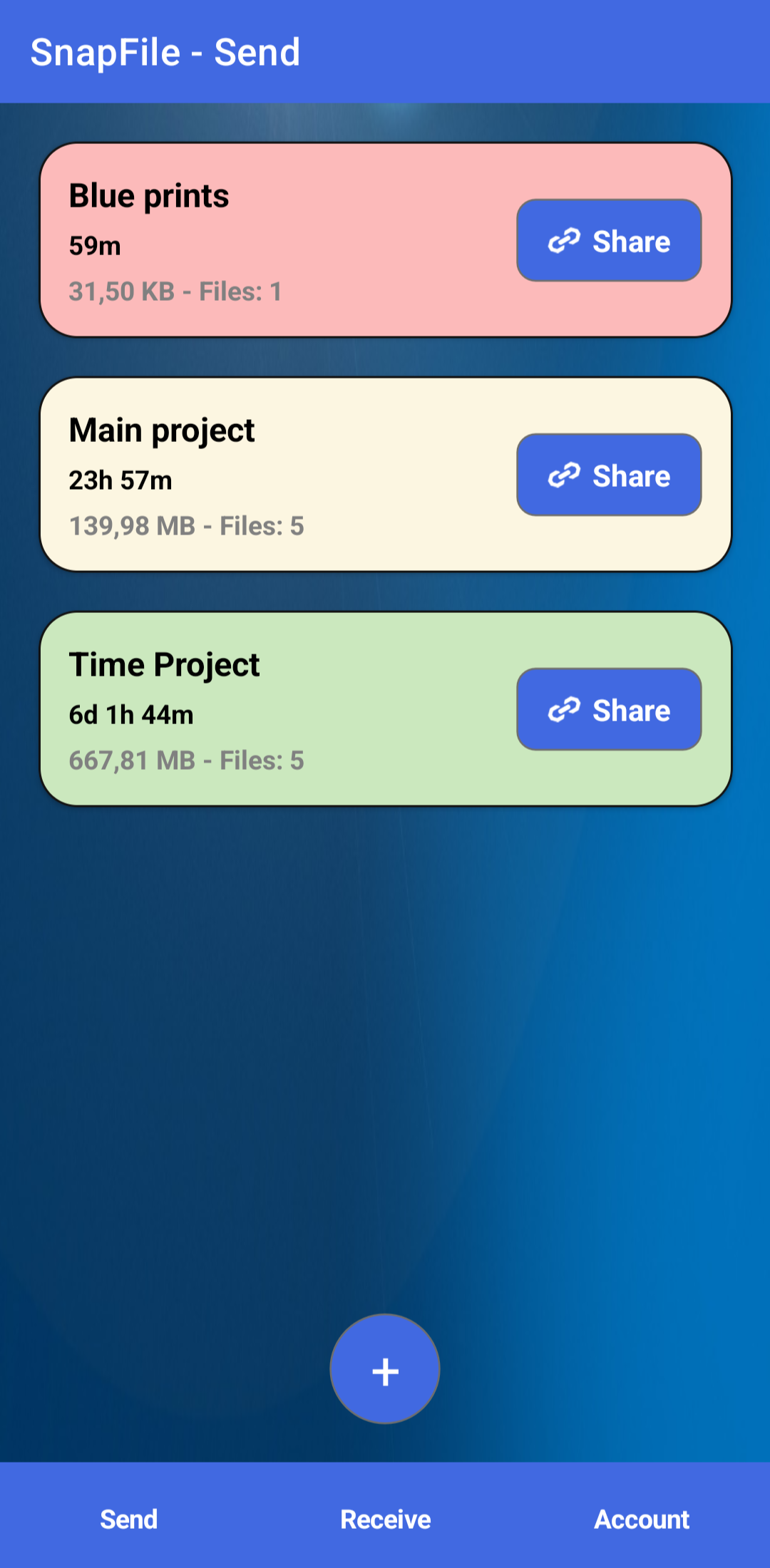
The Send page displays the File Groups you have created and can share.
- File Group name
- Remaining time before deletion
- Total file size
- Number of files
Tap a File Group to view more details.
Tap the + to share new files
Receive
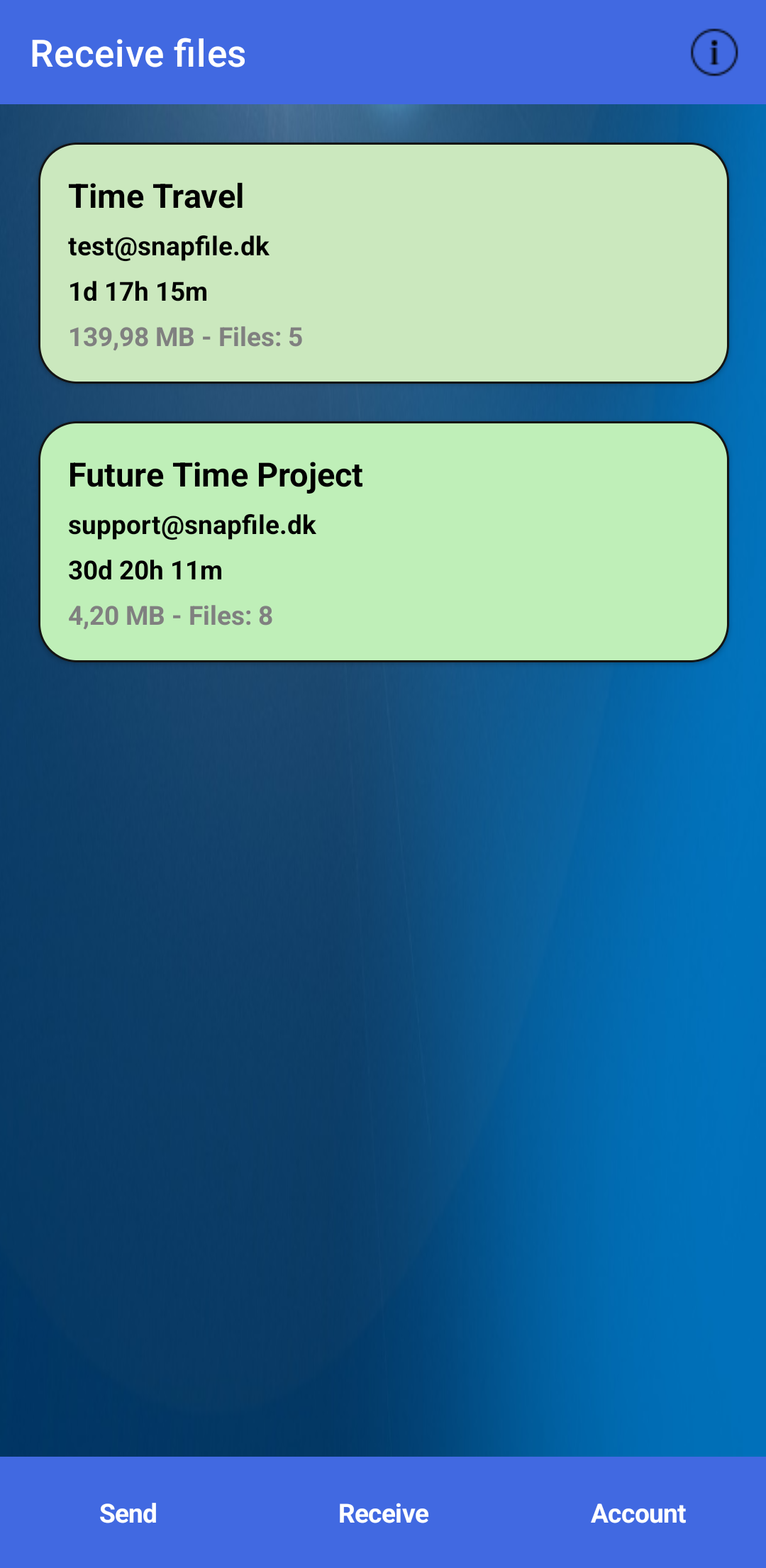
The Receive page displays File Groups shared with you by other users.
Each File Group displays:
- Sender email address
- Remaining time
- Total size
- Number of files
Upload
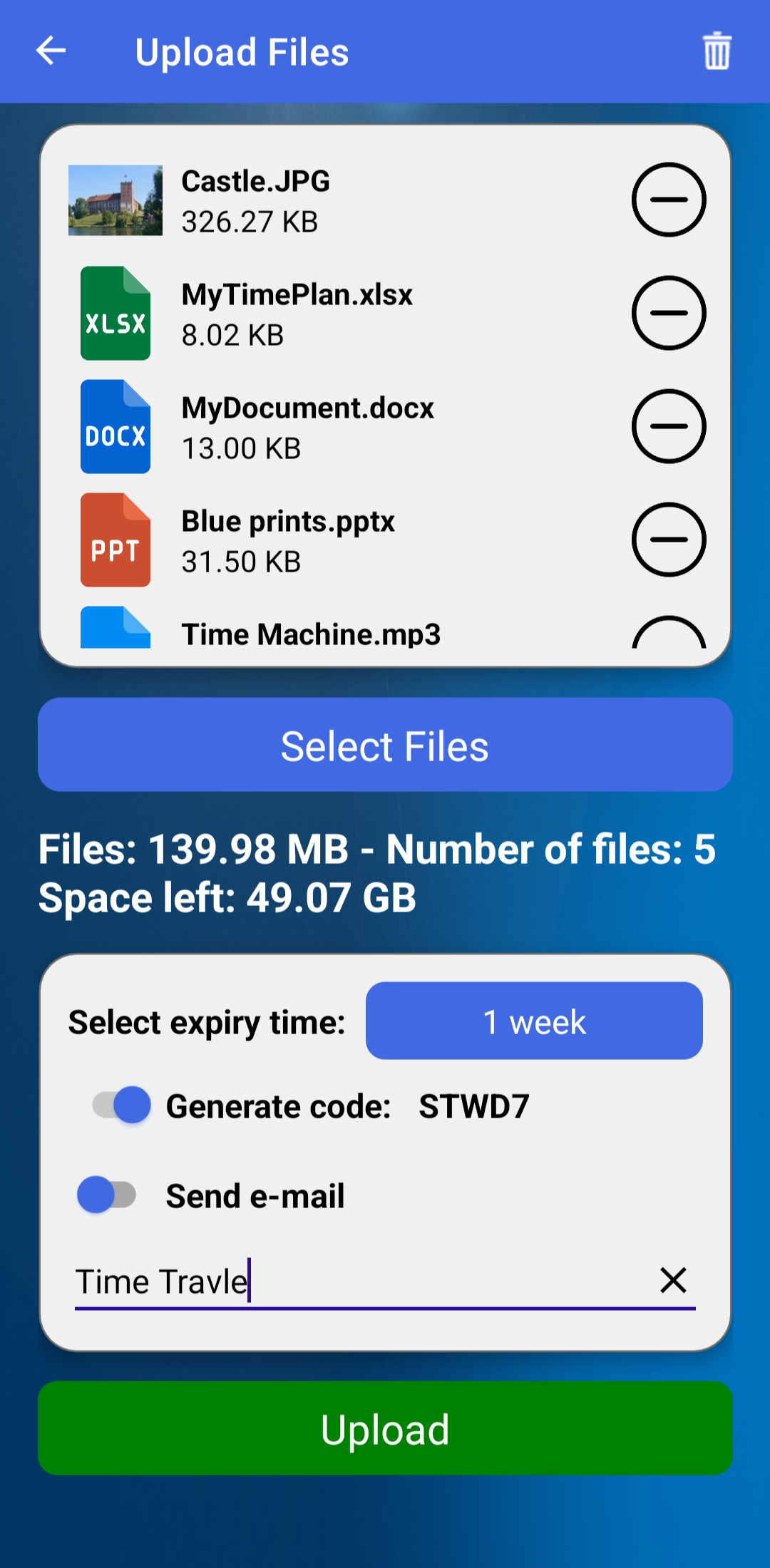
Use the Upload page to select files and create a new File Group.
You can upload files from:
- Photo Gallery
- File Picker
- Camera
Maximum supported file size: 3.5 GB for each file
File Details
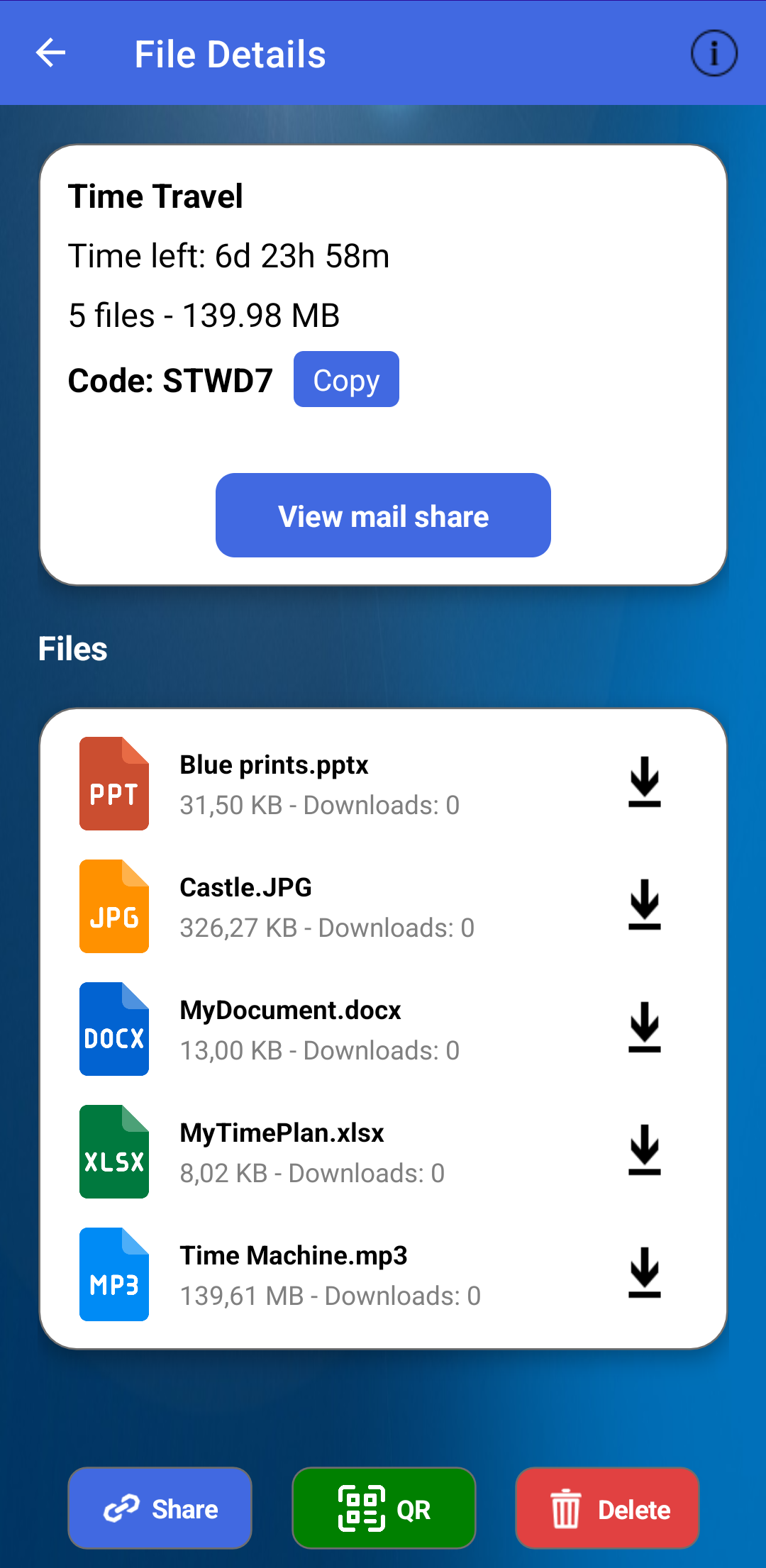
The File Details page shows information about a File Group and lets you download files or share the File Group.
- File Group name
- Remaining time
- Number of files
- Total size
- Access code
Mail Sharing
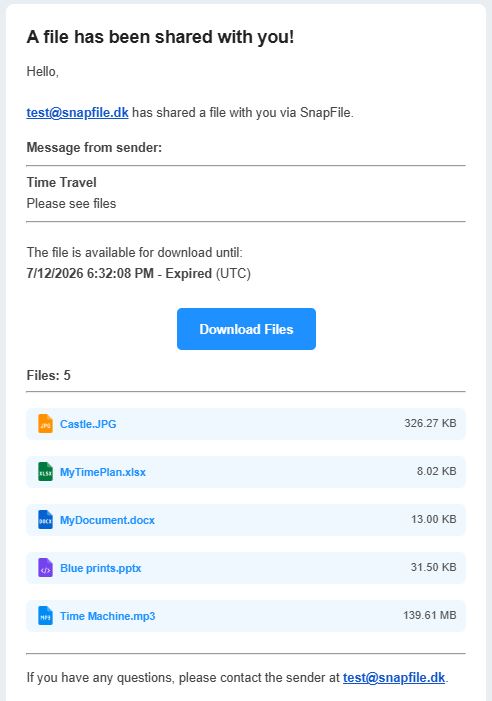
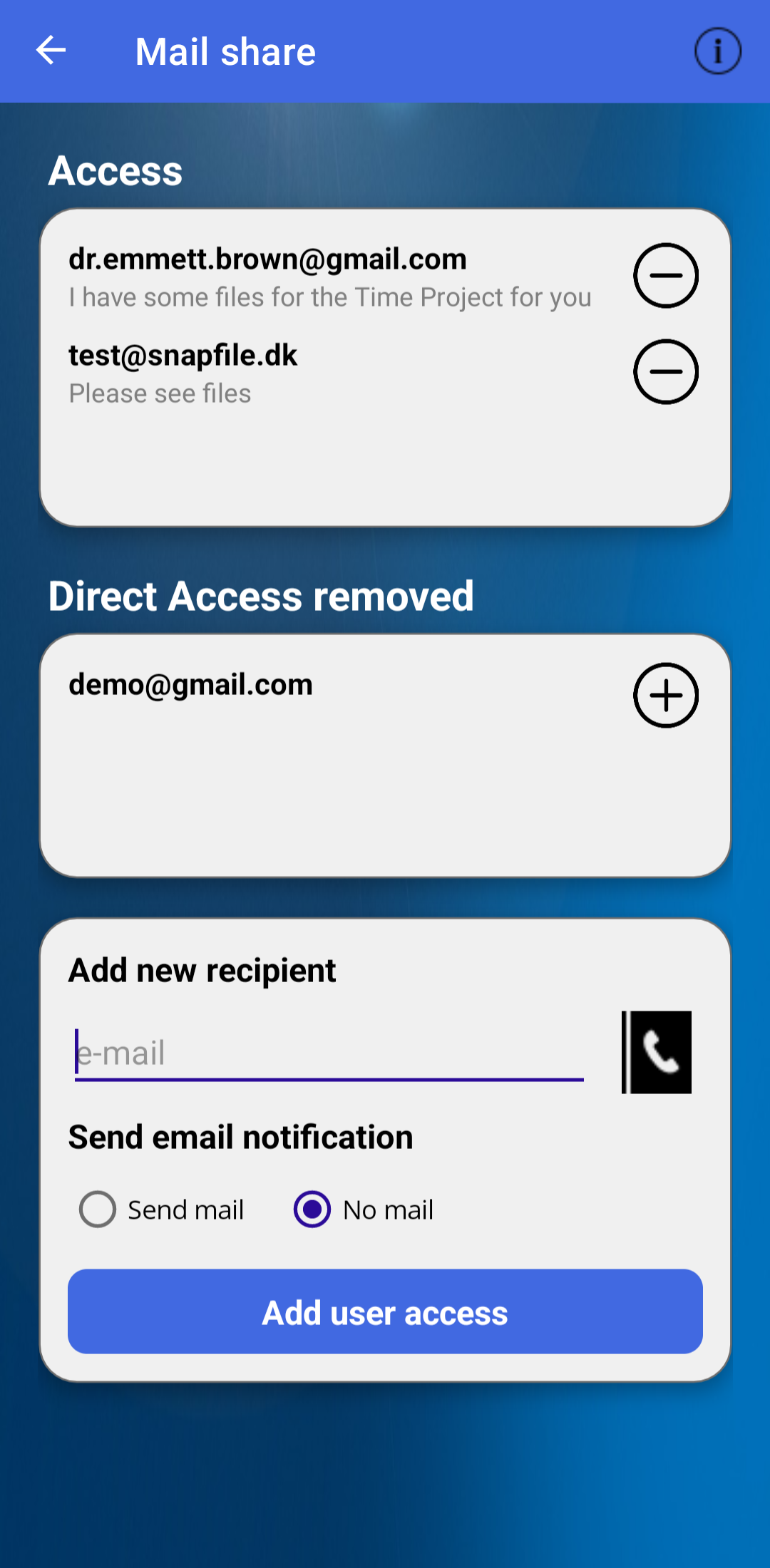
Send a File Group directly by e-mail. Recipients with a SnapFile account receive the File Group automatically in the Receive page.
- Enter email manually
- Select a contact
- Add an optional message
e-mail example:
Account
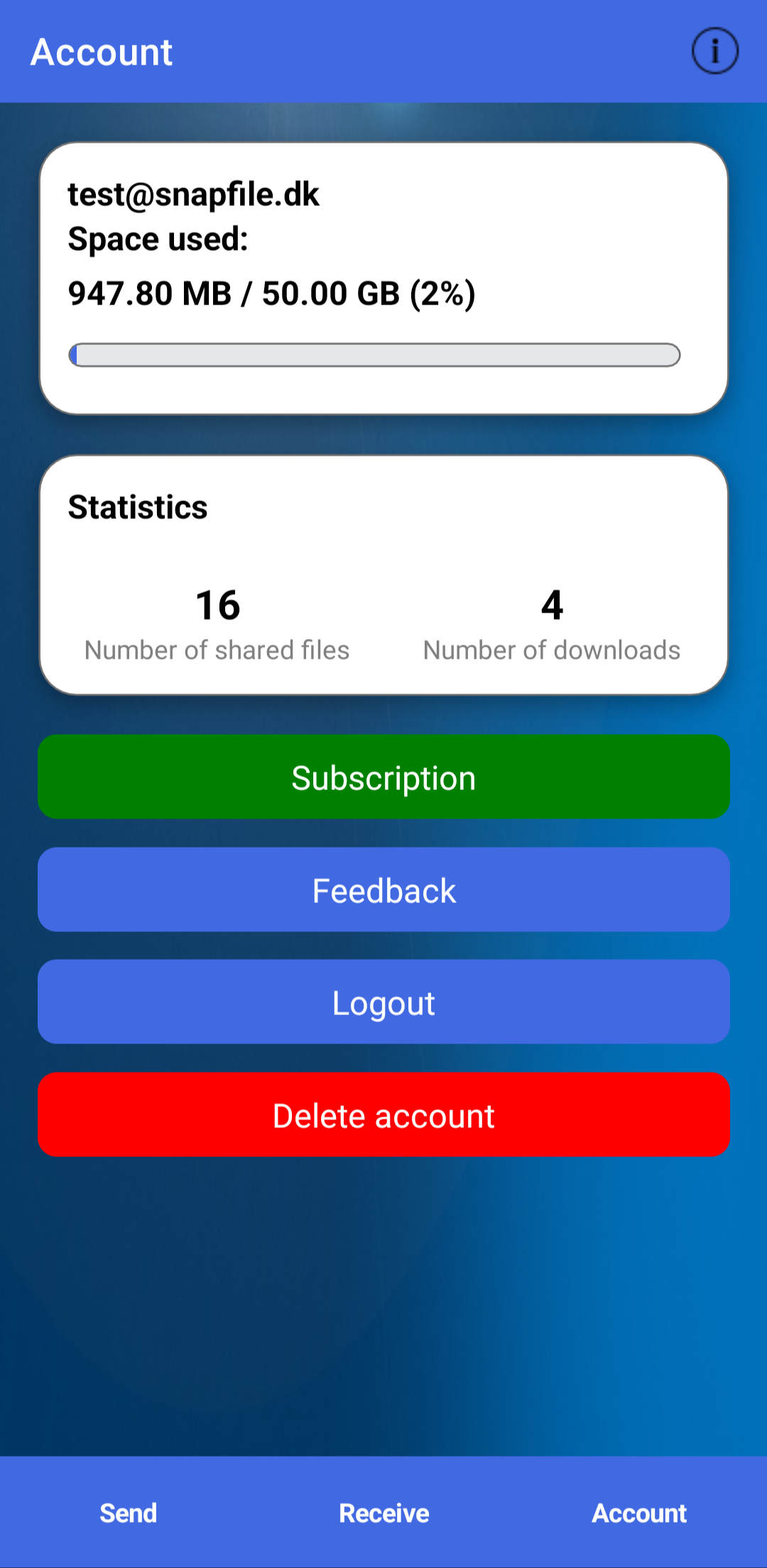
The Account page displays information about your SnapFile account.
- Email address
- Storage usage
- Statistics
- Subscription status
Subscription
Manage your SnapFile subscription and storage plans.
A subscription gives you access to additional storage and longer expiry times.
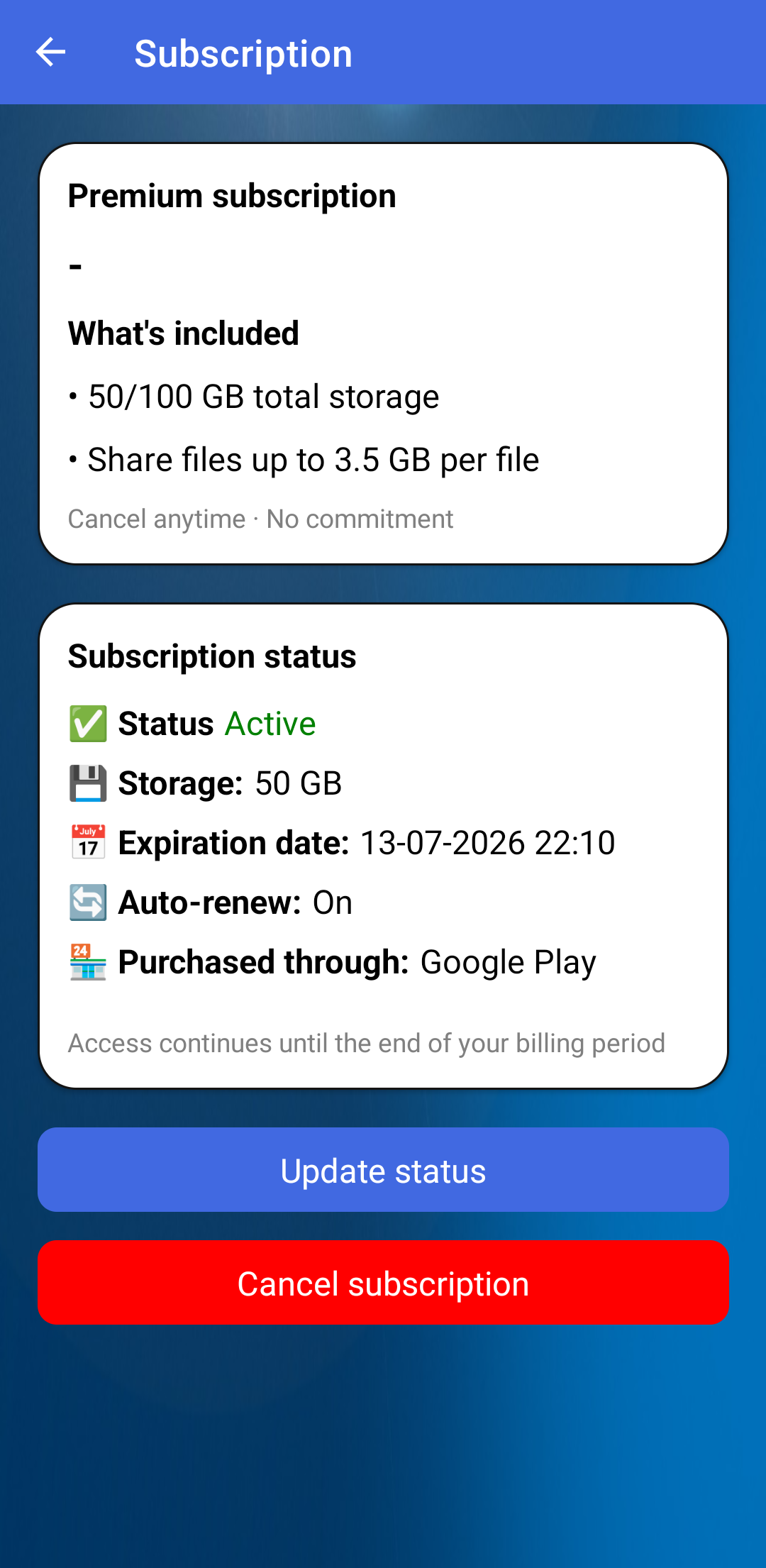
Your subscription page shows:
- Subscription status
- Storage plan (50 GB or 100 GB)
- Auto-renewal status
- Expiration date
Need more help?
The online guide covers the most common features of SnapFile. If you need more detailed instructions, examples, or screenshots, you can download the complete User Guide as a PDF.
Download PDF Guide (English)